Blender 5.3 Ships November 10: DLSS in the Cycles Viewport and LoopTools Without the Add-on

On November 10 Blender 5.3 stops being a beta. What actually changes your working day isn't the feature list: the Cycles viewport starts responding like a game, and LoopTools stops being an add-on you have to install.
What Changes on November 10
The project's download page lists 5.3 as the upcoming release, expected November 10, 2026, and the official list includes DLSS denoising, Gaussian Splatting, Blender Projects, EEVEE material lighting nodes, Cycles dispersion, OpenTimelineIO and a rebuilt video sequencer. The stable branch is still 5.2, now at 5.2.3 LTS, released on October 22.
A Build to Explore, Not to Deliver
5.3 is not LTS. In a studio that means one concrete thing: 5.2.3 stays on the machines that ship work and 5.3 goes somewhere else, for testing. Put another way, on Monday what changes is what you can explore, not what you can bill. We already covered what the beta included and how to test it without breaking projects, so here we go at what that list didn't explain: the two changes you feel daily and the catch worth knowing before you upgrade.
DLSS as a Denoiser in the Cycles Viewport
Render Low, Upscale With AI
DLSS Ray Reconstruction arrives in Cycles as one more denoising option, next to the OptiX denoiser that was already there. The mechanism is the usual one for this technology: the viewport renders below the resolution you see and a neural network upscales the image to the window, filling in missing detail from scene data. The result isn't a final frame, it's a preview that moves.
Read also

The analogy that explains it best: the viewport is the pencil sketch and the final render is the ink. DLSS improves the sketch so you decide faster whether the lighting works; it doesn't ink for you.
What It Speeds Up and What It Doesn't
Worth being explicit, because this is the usual confusion: it does not make your final renders come out sooner. It speeds up the viewport while you move a light, swap a material or orbit the camera, which is exactly where the dead hours of a project go. The frame you deliver is still the frame you deliver, with whatever samples and denoiser you have configured.
Next to OptiX, Not Instead of It
It doesn't replace the NVIDIA denoiser you were already using: it's added as an option in system preferences, and you choose there. On machines without an NVIDIA GPU that supports DLSS you keep working with the existing denoisers and lose nothing else from the release.

The Known Limit: Glass and Transmissive Materials
What the Tracker Says
In 5.3 builds there's a report filed in the project tracker about noise with DLSS Ray Reconstruction on transmissive materials. The description is specific: glass starts noisy, converges slowly, and even once converged the noise isn't fully removed the way it is with the other denoisers; it's more visible when you orbit the scene. Metals, by contrast, come out clean. If your work is architecture, product or any scene with glass, that's the detail that decides whether you use the new viewport or the old one.
How to Check It on Your Scene in Two Minutes
Open a copy of a project with glass, set the viewport to the view you always use and move the light in circles. Compare against 5.2.3 side by side if you can, and watch three things: whether the glass noise settles, whether it only shows up when orbiting, and whether the reflection stays stable as you change the angle. If any of that fails on your scene, it isn't your configuration.
What to Do Until It's Fixed
The practical move is to use DLSS in the viewport for the fast parts, blocking and lighting, and switch back to the previous denoiser when the scene has transmissive surfaces and you need to trust what you see. And don't assume the bug affects the final render: the report is about the viewport, and it shouldn't become an alarm about delivery.
LoopTools Built In: One Less Add-on
The Same Operations, Now Inside Blender
LoopTools was for years the add-on everyone installed on day one: Bridge, Circle, Curve, Flatten, GStretch and friends, operations for working with edge loops that Blender didn't ship by default. In 5.3 they become native operators. No new features; what disappears is a dependency and an install step on every machine, which you appreciate if you were already revisiting which add-ons are worth it in each release.
What to Check in Your Shortcuts and Scripts
If you had it enabled, check whether two entries for the same operation still show up in the menus, and review any shortcuts you had bound to the add-on. If you have your own scripts calling those operators by name, test them before jumping: that's the kind of detail that quietly breaks a workflow. And if you work in a team, say so: everyone has to disable the old add-on or the menus end up duplicated.
Gaussian Splats and the Rest of the List
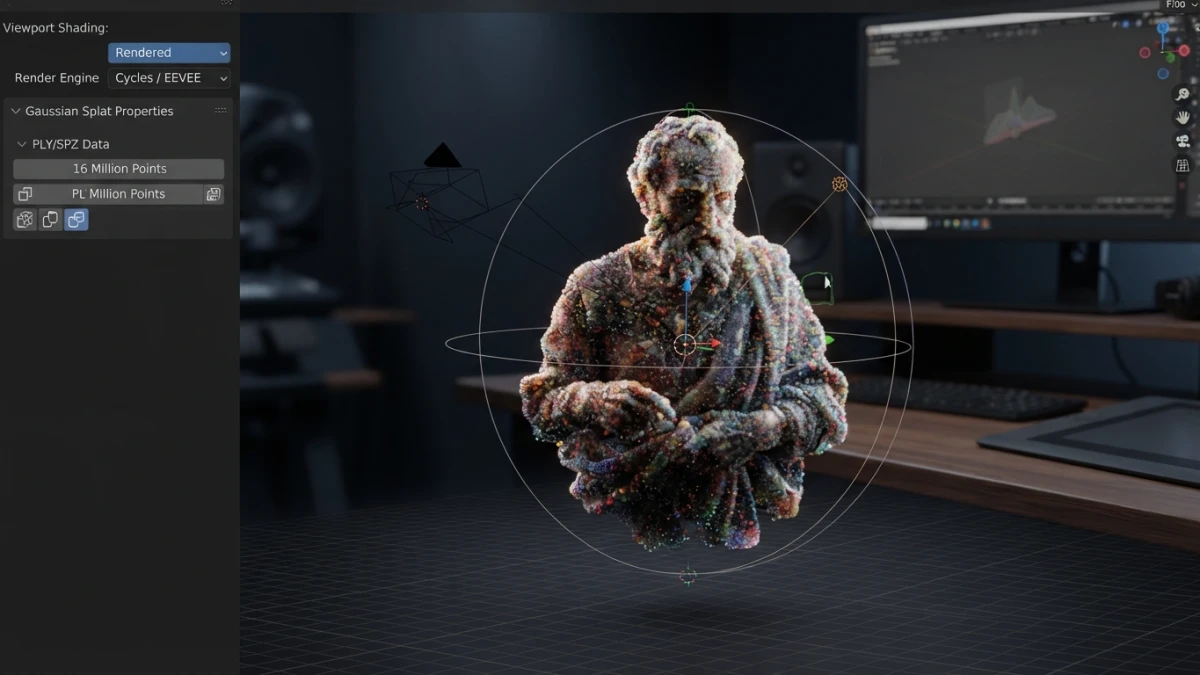
Native Gaussian splat import in PLY and SPZ was already in the beta and this blog covered it when it landed, so we won't repeat it here: there's still no export, and that hasn't changed.
Conclusion
5.3 doesn't change how you model, it changes how long you wait to decide. DLSS makes the viewport respond, LoopTools saves you an install, and the glass bug is the usual reminder: new build to explore, LTS to deliver, and a copy of the file before you save with the new version. If you want to follow the release day by day, the blog has tracked every Blender version since 4.x.