
Fluid Simulation in Blender 5.2 with Mantaflow: Liquids, Smoke, and Fire

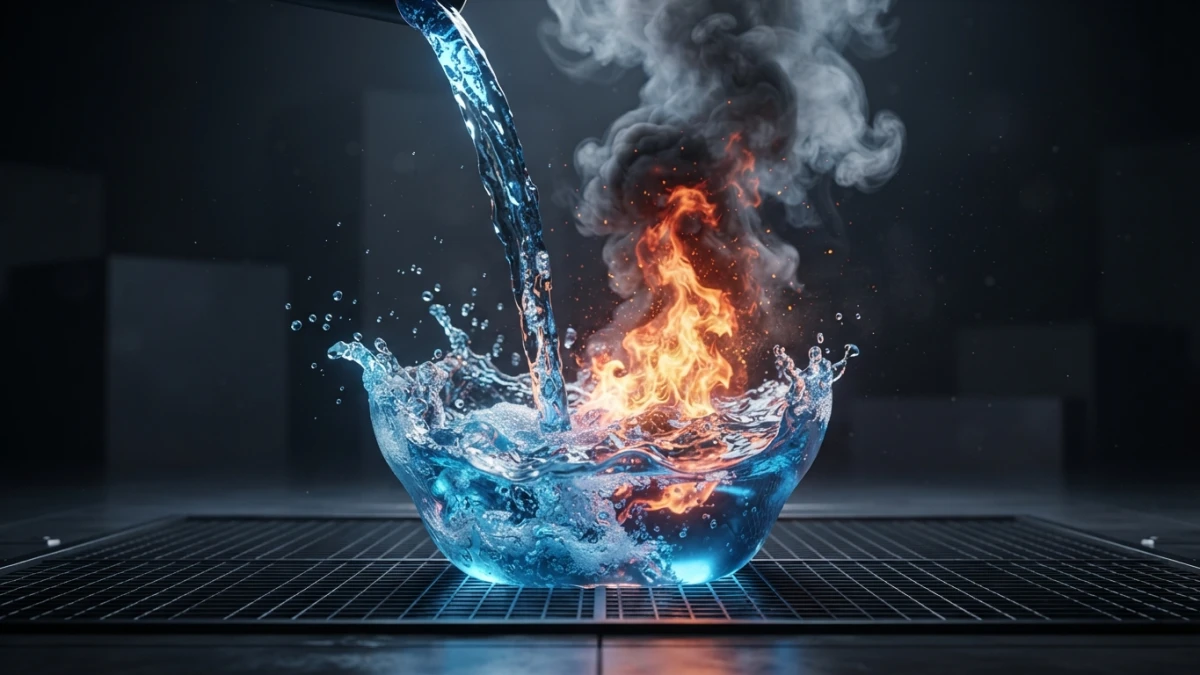
Simulating fluids in Blender 5.2 needs no paid addons: since version 2.82 the Mantaflow engine is built in, and with three objects — domain, flow, and effector — you can pour water with foam, raise smoke columns, and light fires, bake the simulation, and render it with Cycles.
What Mantaflow Is and Why It Matters in Blender 5.2
The Built-in Fluid Engine Since Blender 2.82 (Goodbye, Elbeem)
Mantaflow is the fluid simulation engine Blender has shipped since version 2.82, released in early 2020. It completely replaced the old Elbeem solver and brought the editor a much more powerful — and above all maintained — liquid and gas pipeline. In the 5.x series it remains the reference system for water, smoke, and fire, with nothing to install.
Liquids vs. Gases: Two Pipelines in One System
The system distinguishes two simulation types. Liquid simulations model incompressible fluids with a free surface: water, honey, oil. Gas simulations work with density and temperature fields: smoke, vapor, and flames. Each has its own settings, but both share the same three objects and the same workflow.
Classic Physics vs. the New Node-Based Physics in 5.2
Blender 5.2 LTS, released on July 14, 2026 with support until July 2028, introduced node-based physics with the XPBD solver for hair and cloth. Mantaflow is not part of that novelty: it remains the classic fluid system, documented in the 5.2 LTS manual, and both approaches coexist depending on the effect you need.
Read also

The Three Objects of a Simulation
Domain: The Invisible Box Where the Simulation Lives
The Domain is the object that defines the simulation volume and holds its settings. You configure it in Physics > Fluids > Domain: there you choose the type (liquid or gas), the grid resolution, and the calculation parameters. The box is invisible in the render, but its size and position define where the fluid can move.
Flow: The Emitter of Liquid, Smoke, or Fire
The Flow is the object that emits the fluid. It can be a cube, a sphere, or any mesh: in its panel you pick the type (Liquid or Gas) and the behavior (Inflow for continuous emission or Outflow to absorb). You also define where it emits from — the object's volume or just its surface — and the fluid's initial velocity.
Effector: The Obstacles the Fluid Collides With
Effectors are the objects the fluid collides with: the cup, the floor, a wall. You mark them in Physics > Fluids > Effector and they act as solid obstacles the solver respects during the calculation. Without them, water would pass through the geometry as if it did not exist.
Simulating Liquids Step by Step
Preparing the Scene: Real Scale, Units, and the Domain Over the Glass
Simulation depends on scale: working in meters with a real-size scene avoids liquids that behave like honey or explode. Before anything else, apply the scale of your objects with Ctrl+A and place the Domain so it wraps the fluid's whole path, with room for splashes.
Resolution Divisions and Adaptive Domain: Quality vs. Time
Resolution Divisions sets the simulation grid resolution: the higher it is, the more detail and the more calculation time. For tests, 32 or 64 divisions are enough; the final bake usually starts at 128 depending on available memory. Adaptive Domain resizes the box during the calculation to use only the space the fluid occupies, a welcome memory saving in large scenes.
Viscosity and Time Scale: Water, Honey, or Oil
The viscosity setting changes the liquid's nature: low values give fast water with splashes; high values give honey or oil that flows slowly. Time Scale speeds up or slows down the simulation without touching the frame count, ideal for dramatic slow-motion effects.
Baking: Bake Before You Render
Disk Cache and Resumable Simulations
Baking computes the full simulation and saves it as a disk cache, so the viewport replays the frames without recalculating. The resumable option lets you continue an interrupted bake, which is common when the machine restarts halfway through a long calculation.
Low-Resolution Tests Before the Final Bake
The golden rule: iterate at low resolution until the fluid behaves the way you want, and raise Resolution Divisions only for the final bake. A setup error — a misplaced effector, an inverted flow — takes minutes to spot at 32 divisions and hours to discover at 256.
From Simulation to a Renderable Mesh
Generating the Liquid Mesh from Simulation Data
Simulation data is not renderable geometry: to see the water you must generate its mesh. In the Domain's Mesh section you enable mesh generation, which reconstructs the liquid surface from the grid, with resolution and smoothing settings to control the final detail.
Spray, Foam, and Bubbles: The Water's Secondary Particles
What makes a pour believable is the secondary particles: Spray (fine splashes), Foam (foam floating on the surface), and Bubbles (bubbles under the water). You enable them in the liquid settings, they are generated during the bake, and they render with their own material, usually points or small instanced objects.
Smoke and Fire with Gas Simulations
Density and Temperature Fields: From Smoke to Flames
In a gas simulation, the Flow emits fields instead of particles: Density produces smoke, and Temperature generates the heat that, at high values, turns into flames. The Domain combines both fields, and the emission can be animated — a fire nozzle that opens and closes — without touching the geometry.
Volumetric Materials with Principled Volume
Smoke renders with a volumetric material: the Principled Volume shader applied to the Domain object. By adjusting Density, Color, and Emission you go from dense gray smoke to orange fire. It is the same shader that makes volumes look good in Cycles.
Noise: The Extra Detail That Makes Smoke Believable
The Noise pass adds fine detail to the density and temperature fields, breaking the soft, uniform shape of the base calculation. It is an extra baking step that multiplies calculation time, but it is the difference between tutorial smoke and production smoke.
Rendering the Result
Cycles vs. EEVEE for Liquids and Smoke
For the final render, Cycles gives better results with volumes and liquid refraction — water with transparency and caustics — while EEVEE offers fast real-time previews. The choice depends on the look you are after: on the blog we already compared when to use each render engine in Blender 5.2.
Lighting and Framing the Simulation for the Final Render
A spectacular simulation can be ruined by flat lighting. Set a key light that defines the shape of the liquid or the smoke volume, a soft fill, and for fire let the material's own emission do part of the work. Frame the camera leaving room for the fluid's movement.
Alternatives and Best Practices
Flip Fluids and Other Paid Addons: When They're Worth It
For very high resolution liquids there is Flip Fluids, a commercial addon implementing the FLIP solver used in production. It is worth it when you need fine details Mantaflow cannot reach in reasonable times; for most pours, smoke, and fire, the built-in engine does the job for free.
Checklist: Resolution, Memory, Bake Times, and Cache
Before launching a final bake: resolution matched to memory (doubling the grid resolution multiplies calculation time by eight), Adaptive Domain on for large scenes, enough free space for the disk cache, and a well-defined frame range. With that, the Mantaflow domain-flow-effector workflow in Blender 5.2 delivers production-level results.
Conclusion
Mantaflow turns fluid simulation in Blender 5.2 into a three-object process: a Domain that defines the box, a Flow that emits, and Effectors that collide with the fluid. With low-resolution tests, disk baking, a liquid mesh with secondary particles, and volumetric materials for smoke and fire, you get believable pours and flames without leaving Blender. If you also want to master the render, check our Cycles vs. EEVEE comparison and the new node-based physics in 5.2.














