
Smaller Docker Images for PHP in Production: Multi-Stage Builds, OPcache and No Dev Dependencies

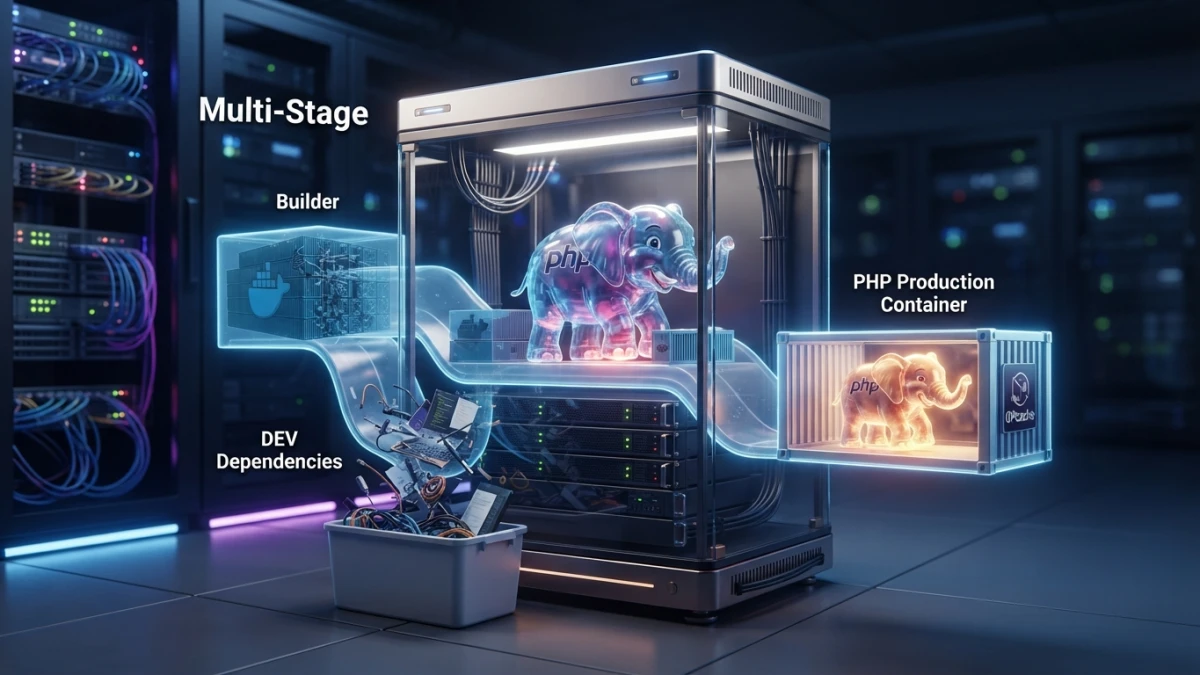
If your PHP Docker image is over a gigabyte, your code is rarely the problem: the build toolchain, dev dependencies and node_modules are shipping to production. These are the six decisions that shrink it, with OPcache configured properly and no broken deploys.
Measure Before You Touch Anything
Without measurement, every change is superstition. Before editing a single line of the Dockerfile, look at how big the image is and which layer carries the weight.
How Big Your Image Is and How Long It Takes to Build
docker images --format 'table {{.Repository}}:{{.Tag}}\t{{.Size}}'
docker image inspect app:before --format '{{.Size}} bytes'

# build time with and without cache
time docker build -t app:before .
Write down size, cold build time and cached build time: you will repeat the measurement at the end, and without those two points there is no before and after.
Which Layer Weighs the Most: docker history and dive
docker history --no-trunc --format 'table {{.Size}}\t{{.CreatedBy}}' app:before | head -20
dive app:before
docker history gives you the size of each layer and the command that created it; dive lets you walk the filesystem inside each one. In a typical PHP app the top offenders are always the same: -dev libraries and compilers that already did their job, node_modules, Composer and npm caches, and test code that never runs in production.
Read also

What Belongs in Runtime and What Was Only Needed to Build
Ask one question about every layer you see: "is this needed at 3 a.m. while the container is serving traffic?" The C compiler, the development headers, the package manager, the Composer CLI and node_modules all answer no. That is the weight you are about to cut.
Decision 1: the Base Image (Alpine, Debian Slim or Full)
php:8.4-fpm-alpine: the Smallest One and Its Limits With Extensions
It is the lightest base in the official family and usually boots fine. The real cost is not size, it is musl: some extensions compile differently, need their development libraries, and some packages have no prebuilt binary at all. If your extension list is short and common (pdo_mysql, opcache, intl, zip, redis), Alpine will cost you very little.
RUN apk add --no-cache --virtual .build-deps $PHPIZE_DEPS icu-dev libzip-dev \
 && apk add --no-cache icu-libs libzip \
 && docker-php-ext-install -j"$(nproc)" intl opcache pdo_mysql zip \
 && apk del --no-network .build-deps
php:8.4-fpm-bookworm: Bigger and Predictable With glibc
On Debian you get glibc, the same runtime that prebuilt binaries of almost any extension or tool you install later will expect. The final image is heavier, but you lose fewer hours fighting native dependencies. The installation pattern is the same with apt:
RUN apt-get update \
 && apt-get install -y --no-install-recommends libicu-dev libzip-dev \
 && docker-php-ext-install -j"$(nproc)" intl opcache pdo_mysql zip \
 && apt-get purge -y --auto-remove libicu-dev libzip-dev \
 && rm -rf /var/lib/apt/lists/*
Choosing by Your Extensions, Not by Fashion
The practical rule: if all your extensions fit the list above, pick Alpine. If you need something that does not compile cleanly against musl or that only ships prebuilt for glibc, pick Debian and stop thinking about it. Changing distribution is not an identity decision.
Decision 2: Build in Multiple Stages
A multi-stage build separates "what I need to build" from "what I need to serve." It removes the most weight, because the final stage only receives the result.
Composer Build Stage (--no-dev, Optimized Autoloader)
The key is to copy the dependency manifests first: if composer.json and composer.lock did not change, the installation layer is reused from cache and the build only recompiles your code.
FROM composer:2 AS vendor
WORKDIR /app
COPY composer.json composer.lock ./
RUN composer install --no-dev --no-scripts --no-interaction --prefer-dist --optimize-autoloader
--no-dev leaves PHPUnit and friends out, and --optimize-autoloader generates a class map instead of resolving classes by scanning disk. The finishing move is an authoritative autoloader, which tells Composer to trust the map and stop hitting the filesystem:
RUN composer dump-autoload --classmap-authoritative --no-devWatch the order: --classmap-authoritative builds the map from the files present at that moment. If you run it before copying your application code, the App\ classes never make it into the map and production will greet you with a class-not-found error. Copy the code in that same stage (or run dump-autoload in the final stage after copying everything) and you will not hit it.
Node and Vite Assets Stage: Build Here, Copy Only public/build
FROM node:22-alpine AS assets
WORKDIR /app
COPY package.json package-lock.json ./
RUN npm ci
COPY resources ./resources
COPY vite.config.js ./
RUN npm run build
Assets are compiled here and only public/build leaves this stage. node_modules stays behind forever: it has no business being in the final image.
What Crosses Into the Final Image (and What Stays Behind for Good)
FROM php:8.4-fpm-alpine AS runtime

RUN apk add --no-cache --virtual .build-deps $PHPIZE_DEPS icu-dev libzip-dev \
 && apk add --no-cache icu-libs libzip fcgi curl \
 && docker-php-ext-install -j"$(nproc)" intl opcache pdo_mysql zip \
 && apk del --no-network .build-deps \
 && curl -fsSL https://raw.githubusercontent.com/renatomefi/php-fpm-healthcheck/master/php-fpm-healthcheck \
      -o /usr/local/bin/php-fpm-healthcheck \
 && chmod +x /usr/local/bin/php-fpm-healthcheck

WORKDIR /var/www/html

# 1) source code (vendor and public/build are in .dockerignore)
COPY . .
# 2) what the earlier stages built, with the right owner
COPY --from=vendor --chown=www-data:www-data /app/vendor ./vendor
COPY --from=assets --chown=www-data:www-data /app/public/build ./public/build

COPY docker/php/production.ini /usr/local/etc/php/conf.d/99-production.ini
COPY docker/php/zz-app.conf /usr/local/etc/php-fpm.d/zz-app.conf
COPY docker/entrypoint.sh /usr/local/bin/entrypoint

RUN chmod +x /usr/local/bin/entrypoint \
 && mkdir -p storage/framework/cache storage/framework/sessions storage/framework/views bootstrap/cache \
 && chown -R www-data:www-data storage bootstrap/cache

USER www-data
EXPOSE 9000
STOPSIGNAL SIGQUIT
HEALTHCHECK --interval=30s --timeout=3s --start-period=20s --retries=3 \
  CMD php-fpm-healthcheck || exit 1
ENTRYPOINT ["entrypoint"]
CMD ["php-fpm"]
What does not cross into the final image: compilers and -dev headers, node_modules, tests/, .git, caches generated during the build, and any local database. None of that is used at 3 a.m.
Decision 3: .dockerignore and Layer Order
What to Exclude From the Build Context
The build context is shipped whole to the daemon before anything starts, so a decent .dockerignore also speeds up the build itself:
.git
.github
node_modules
vendor
public/build
tests
docs
*.md
.env
.env.*
!.env.example
storage/logs/*
storage/framework/cache/*
storage/framework/sessions/*
bootstrap/cache/*.php
docker-compose*.yml
.phpunit.cache
Mind one syntax detail: if you exclude a whole directory you cannot re-include a file inside it with !. Excluding the contents with /* (as above) keeps that option open; here the directories are recreated with mkdir -p in the Dockerfile.
Copy composer.json and composer.lock First: a Cache That Survives
Docker caches per layer: each instruction is reused if nothing before it changed. If you copy all your code before installing dependencies, any edit invalidates the Composer install and you re-download the universe on every build. The right order is the one in the example: manifests, installation, code and compilation.
Decision 4: OPcache and PHP-FPM in Production Mode
A small image that serves slowly is not a good deal. These two configurations are the ones that change real performance.
opcache.validate_timestamps=0: the Gain and the Trap
; docker/php/production.ini
opcache.enable=1
opcache.enable_cli=0
opcache.memory_consumption=256
opcache.interned_strings_buffer=32
opcache.max_accelerated_files=20000
opcache.validate_timestamps=0
opcache.save_comments=1

realpath_cache_size=4096K
realpath_cache_ttl=600
expose_php=Off
With validate_timestamps=0 PHP stops asking the filesystem whether a script changed since last time: it keeps the opcode in memory and runs it. That is a real gain on every request. And it is the number one trap in this tutorial: if you deploy new code without recycling the process, you will serve the old version indefinitely, with no errors, no warnings, nothing. The correct closure is to reload PHP-FPM on every deploy:
# during deploy, after replacing the container
docker exec app kill -USR2 1        # graceful reload of the PHP-FPM master
# or, if you prefer the simple route: docker compose up -d --no-deps app
One important note: a clean FPM reload flushes the opcode cache, so the first requests afterwards are slower. That is the price of not serving stale code.
Memory, max_accelerated_files and Preloading
opcache.memory_consumption (256 MB is a reasonable starting point for an app with many dependencies) and opcache.max_accelerated_files have to be enough; if they fall short, OPcache evicts entries and the benefit evaporates, so check its statistics instead of guessing. opcache.preload is optional and not free: it requires declaring opcache.preload_user when the process does not run as root and it can hide errors that only appear when something changes.
pm.max_children and pm.max_requests: Memory Control That Matters
; docker/php/zz-app.conf
[www]
pm = dynamic
pm.max_children = 20
pm.start_servers = 4
pm.min_spare_servers = 2
pm.max_spare_servers = 8
pm.max_requests = 500
pm.status_path = /status
pm.max_children is your ceiling on simultaneous processes: if you do not size it against container memory and your app's real footprint, you will get processes killed by the kernel with no visible explanation. pm.max_requests recycles each process after N requests and is your safety net against slow memory leaks; do not set it too low, because each recycle costs. pm.status_path enables the status page the healthcheck relies on.
Decision 5: Non-Root User, Healthcheck and Startup
Non-Root USER and Permissions for storage and bootstrap/cache
FPM already runs its workers as www-data in the official image, but the final image should not default to root. With USER www-data, storage/ and bootstrap/cache/ must belong to that user before the switch, or Laravel will not be able to write logs, sessions or compiled views.
HEALTHCHECK and Clean Container Shutdown
php-fpm-healthcheck queries the FPM status page and fails if the pool is not responding: that stops an orchestrator from sending traffic to a container that is alive but cannot serve. STOPSIGNAL SIGQUIT tells FPM to finish in-flight requests before shutting down: that is the difference between a deploy with no 502s and one full of them.
Startup lives in a small script, so Laravel caches are generated with the container's real environment variables:
#!/bin/sh
# docker/entrypoint.sh
set -e
php artisan optimize
exec "$@"
Why at startup and not at build time? Because artisan optimize freezes configuration, routes and views: doing it during the build freezes the values that existed on the CI machine, not the production ones. There is one exception to remember: route:cache fails if you have closure-based routes, so if that happens, drop route caching and keep the rest.
Decision 6: Measure the Result and Check Vulnerabilities
Comparing Size and Deploy Time Before and After
docker images --format 'table {{.Repository}}:{{.Tag}}\t{{.Size}}'
time docker build -t app:after .
docker history --no-trunc --format 'table {{.Size}}\t{{.CreatedBy}}' app:after | head -20
For an example Laravel 13 app with queues and Vite-compiled assets, the typical jump between "everything in one stage" and an ordered multi-stage build goes from a bit over a gigabyte to a range near 200 MB, and the cold build drops from several minutes to one or two. Those are numbers from the example, not a promise: measure yours.
| Metric (example) | Before | After |
|---|---|---|
| Image size | ~1.1 GB | ~170-220 MB |
| Build toolchain in the final image | yes (gcc, -dev headers) | no |
| node_modules inside the image | yes | no |
| Cached build | several minutes | tens of seconds |
| Requests per second | depends on OPcache | improves once OPcache runs in production |
Scanning the Image: Fewer Packages, Less Surface
trivy image app:after
# or, if you use Docker Scout
docker scout cves app:after
The correct message is "less surface," not "secure image": fewer packages means fewer possible vulnerabilities, but you still have to scan and update the base. A tuned image can carry a system CVE for months if nobody looks.
Errors That Break Production (and How to Catch Them)
Extensions That Vanished and Assets That Never Got Copied
The first symptom of a missing extension is a class or function not found at boot. You catch it by starting the container with the real production variables and hitting a route, not just the healthcheck. If assets were not copied, the page loads without styles.
config:cache, Environment Variables and .env Inside the Image
Never put a .env file inside the image: it stays in a layer anyone can inspect. And if you cached configuration during the build, the container reads frozen values: variables come from the environment at runtime and caches are generated at startup.
Shipping New Code With validate_timestamps=0 and No PHP-FPM Reload
This is the hardest failure to diagnose, because it leaves no trace: the deploy succeeds, the container is healthy and the new code simply does not run. With validate_timestamps=0, recycling the process stops being optional and becomes part of the deploy.
Conclusion
What you gain from this route is concrete: faster builds, shorter deploys, less registry storage and less attack surface. What does not change matters just as much: a small image will not fix an N+1 query, a badly sized pm.max_children or a missing cache. Final checklist: measure first, keep the toolchain and dev dependencies out of the final image, copy only public/build, order layers so the cache survives, configure OPcache and FPM with process recycling on deploy, run as a non-root user, then measure and scan again.
If you want the non-container deployment context, the step-by-step guide to Laravel 13 deployment on a VPS covers nginx and PHP-FPM with zero downtime, and if your build lives in CI, CI/CD with GitHub Actions shows where to hook the cached docker build. And if you are still in the development environment, remember that Laravel Sail is for your laptop, not for production.














